
Table of Contents
- Introduction to Professional Video Editing Tools
- Adobe Premiere Pro – Industry-standard editing software
- Final Cut Pro X – Best for Mac users
- DaVinci Resolve – Advanced color grading and editing
- Avid Media Composer – Professional film and TV editing
- Sony Vegas Pro – Versatile video production software
- HitFilm Pro – Editing with VFX capabilities
- Filmora – User-friendly professional-grade editing
- Lightworks – Long-standing professional editing software
- CyberLink PowerDirector – Fast rendering with advanced features
- Pinnacle Studio – Feature-rich editing for pros
- Magix Video Pro X – High-quality editing for advanced users
- Corel VideoStudio Ultimate – Professional tools with ease of use
- Movavi Video Editor Plus – Editing with creative effects
- Blender Video Sequence Editor – Free software with advanced features
- Shotcut – Open-source professional video editing
- iMovie – Mac-based beginner-friendly editing with pro features
- VSDC Video Editor – Non-linear editing for Windows
- Kdenlive – Open-source editing for professionals
- Choosing the Right Video Editing Tool for Your Needs
Introduction to Professional Video Editing Tools
Professional video editing tools are essential for content creators, filmmakers, and marketing professionals who aim to produce high-quality video content. These tools go beyond basic trimming and cutting—they offer advanced features like multi-layer editing, motion graphics, visual effects, color correction, and audio mastering. Using the right software can drastically enhance the production value of your videos, making them more engaging and polished. Factors like platform compatibility, user interface, supported file formats, rendering speed, and plugin availability are crucial when selecting a tool. Whether you are editing short social media clips or full-length films, professional-grade tools provide the precision and control necessary to bring creative visions to life.
Adobe Premiere Pro
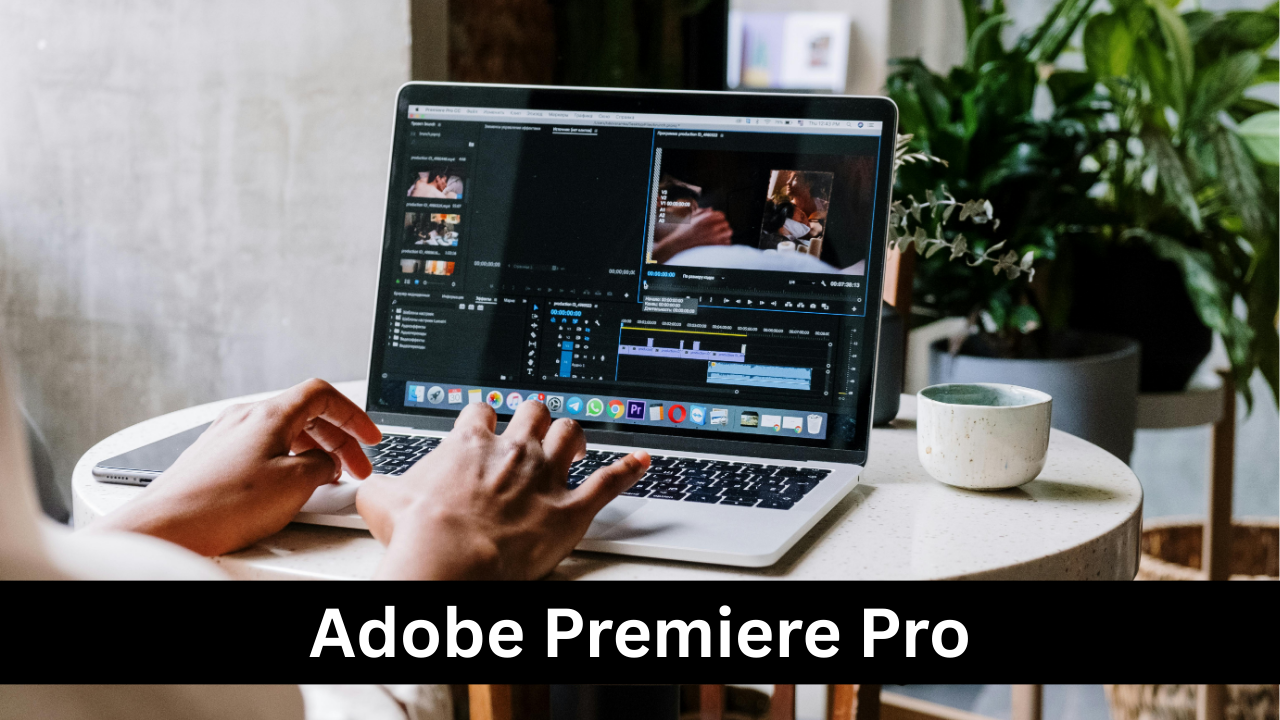
Adobe Premiere Pro is one of the most widely used professional video editing tools in the industry. Known for its powerful timeline-based editing and extensive range of features, it is ideal for both short-form content and feature-length productions. Premiere Pro supports a variety of file formats, offers seamless integration with other Adobe Creative Cloud applications like After Effects and Photoshop, and provides advanced color grading tools. Its intuitive interface allows for precise editing, motion graphics, and audio synchronization. Regular updates and an active community make it a reliable choice for professionals seeking robust functionality and scalability for complex projects, including commercial videos, films, and YouTube content.
Final Cut Pro X
Final Cut Pro X is Apple’s professional-grade video editing software, favored for its speed, efficiency, and Mac-optimized performance. It features a magnetic timeline that simplifies complex edits, supports 360-degree video, HDR, and advanced color grading. Final Cut Pro X also offers seamless integration with Motion and Compressor for visual effects and output optimization. Professionals appreciate its fast rendering times and high-quality export capabilities, making it ideal for independent filmmakers and content creators who require precision and speed. With its intuitive interface and robust library management, Final Cut Pro X allows users to organize large projects efficiently, making it a top choice for Mac users aiming for professional-quality results.
DaVinci Resolve
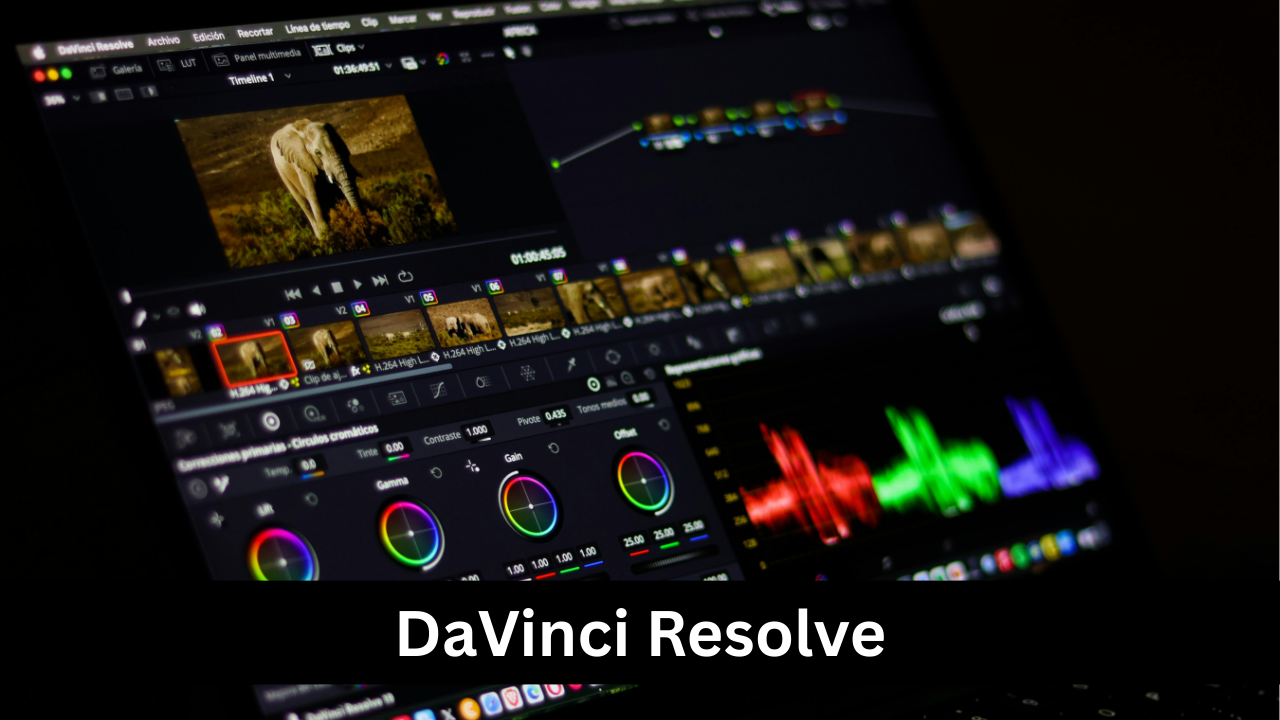
DaVinci Resolve combines professional editing, color correction, visual effects, and audio post-production in a single platform. It is renowned for its industry-leading color grading tools, allowing editors to achieve cinematic looks with precise control over shadows, highlights, and saturation. Beyond color correction, Resolve offers a fully-featured editing timeline, Fusion VFX for motion graphics, and Fairlight for professional audio editing. Both the free and Studio versions are widely used, making it accessible while maintaining professional capabilities. Its cross-platform support for Windows, Mac, and Linux ensures flexibility, making DaVinci Resolve a top choice for filmmakers, YouTubers, and broadcast professionals seeking an all-in-one solution.
Avid Media Composer
Avid Media Composer has been a cornerstone in professional film and television editing for decades. Its strength lies in handling large, complex projects and high-resolution footage with efficiency. Media Composer excels in collaborative workflows, allowing multiple editors to work simultaneously on the same project, which is essential for studio productions. It supports a wide range of file formats and offers precise trimming, advanced audio editing, and robust media management. While the learning curve is steeper than some other tools, its reliability and professional-grade features make it a favorite among Hollywood editors and broadcast professionals. Media Composer is ideal for long-form content and high-budget productions.
Sony Vegas Pro
Sony Vegas Pro is a versatile video editing software known for its intuitive workflow and strong audio editing capabilities. It provides a timeline-based interface that supports multi-track video and audio editing, advanced effects, and compositing. Vegas Pro includes tools for color grading, motion tracking, and 3D editing, making it suitable for a wide range of projects from YouTube videos to professional short films. Its real-time preview and rendering options allow for efficient editing without compromising quality. The software also supports a wide array of third-party plugins, enhancing its functionality. Vegas Pro is particularly appreciated by independent creators for its balance of professional features and user-friendly design.
HitFilm Pro
HitFilm Pro is a professional video editing and visual effects software designed for filmmakers who want integrated VFX capabilities. It combines advanced editing tools with compositing, particle simulations, 3D modeling, and green screen effects, all within a single platform. This makes it ideal for creating cinematic content without needing multiple programs. HitFilm Pro supports high-resolution footage, provides powerful color grading tools, and allows for precise timeline-based editing. Its learning curve is moderate, but its combination of editing and visual effects makes it a favorite among content creators, indie filmmakers, and YouTubers aiming to achieve Hollywood-level visual effects on a budget.
Filmora
Filmora is a user-friendly video editing software that caters to both beginners and professionals seeking quick results without sacrificing quality. It offers an intuitive drag-and-drop interface, a wide selection of transitions, effects, and filters, and supports multi-track editing. Filmora also provides tools for color grading, audio editing, and motion graphics, making it suitable for professional-quality video content on platforms like YouTube, Instagram, and corporate presentations. While not as feature-heavy as Premiere Pro or DaVinci Resolve, Filmora is ideal for those who want fast, polished results with minimal learning curve. Its affordability and simplicity make it a popular choice among emerging creators.
Lightworks
Lightworks is a professional non-linear editing software that has been used in Hollywood productions for decades. It provides a powerful timeline, real-time effects, and multi-cam editing, making it suitable for both film and online content. Lightworks supports a wide variety of formats and resolutions, including 4K video, and allows for precise trimming and color correction. It has both free and paid versions, with the paid version unlocking additional export options and advanced features. While its interface may seem unconventional at first, Lightworks is extremely efficient once mastered. Its professional-grade tools and reliability make it a strong contender for serious editors.

CyberLink PowerDirector
CyberLink PowerDirector is a fast, feature-rich video editing software that balances ease of use with professional-grade capabilities. It offers multi-track editing, advanced motion tracking, color correction, 360-degree video editing, and AI-powered tools to streamline the workflow. PowerDirector is known for its quick rendering speeds, making it ideal for content creators who need fast turnaround times without compromising on quality. It also includes a library of templates, transitions, and effects, enabling creative storytelling. With support for 4K and 8K editing, as well as VR content, CyberLink PowerDirector is a versatile choice for professionals and enthusiasts aiming to produce high-quality videos efficiently.
Pinnacle Studio
Pinnacle Studio is a professional video editing software that combines powerful features with an accessible interface. It supports multi-track video editing, keyframe controls, 360-degree video, and multi-camera editing, making it suitable for both casual creators and professional editors. Pinnacle Studio includes a wide variety of transitions, effects, and titles, as well as advanced color grading and audio editing tools. Its precise timeline editing and customizable workspace allow editors to manage complex projects efficiently. Additionally, the software offers fast rendering and export options, which is critical for meeting deadlines. Pinnacle Studio is a versatile tool for those aiming to produce polished, high-quality videos without steep learning curves.
Magix Video Pro X
Magix Video Pro X is a professional video editing software designed for high-end production. It offers advanced color grading, multi-cam editing, 4K and 8K resolution support, and comprehensive audio post-production tools. Its intuitive interface allows for precise timeline editing, making it ideal for long-form content such as documentaries, films, or corporate videos. Magix Video Pro X also supports GPU acceleration, enabling faster rendering and smoother previews. With built-in effects, transitions, and templates, it caters to editors seeking both creativity and efficiency. Its stability, professional features, and export options make it a strong choice for advanced users and studios aiming for high-quality, broadcast-ready results.
Corel VideoStudio Ultimate
Corel VideoStudio Ultimate offers a comprehensive set of tools for professional-quality video editing. It supports multi-camera editing, 4K and 360-degree video, and advanced color correction. The software includes motion tracking, screen recording, and a variety of effects, transitions, and templates to enhance creativity. VideoStudio’s user-friendly interface allows editors to quickly manage large projects while maintaining precise control over every frame. Its fast rendering engine and optimized performance make it suitable for creators who need high-quality output within tight deadlines. VideoStudio Ultimate balances professional-grade features with accessibility, making it a versatile solution for both beginners and experienced editors seeking polished results.
Movavi Video Editor Plus
Movavi Video Editor Plus is designed for creators who want professional-quality videos without steep learning curves. It offers multi-track editing, a wide range of visual effects, transitions, and titles, as well as chroma keying and audio editing tools. Movavi’s intuitive interface allows users to quickly import footage, edit, and export videos in multiple formats, including 4K. The software also includes built-in templates, filters, and animations to enhance storytelling. While it may not have as many advanced features as high-end professional tools, Movavi is ideal for YouTubers, marketers, and small businesses who want polished, high-quality videos quickly and efficiently, without the complexity of larger editing suites.
Blender Video Sequence Editor
Blender is a free, open-source 3D creation suite that also includes a powerful Video Sequence Editor (VSE). Blender’s VSE supports multi-track editing, masking, color grading, and transitions, making it suitable for professional video projects. Its integration with Blender’s 3D and visual effects tools allows editors to combine live-action footage with CGI seamlessly. Blender is cross-platform, running on Windows, Mac, and Linux, and supports high-resolution video editing including 4K. While the learning curve can be steep due to its extensive features, Blender provides unparalleled flexibility and power for creators on a budget, making it an ideal choice for indie filmmakers, animators, and professional editors seeking a cost-effective solution.
Shotcut
Shotcut is a free, open-source video editing software that offers professional-grade features without cost barriers. It supports multi-track timeline editing, a wide range of audio and video formats, 4K resolution, and customizable filters and effects. Shotcut’s interface is modular, allowing editors to adjust it to their workflow preferences. It also includes advanced features like color grading, keyframe animations, and hardware acceleration for faster rendering. While its interface may initially seem less polished than premium tools, Shotcut’s powerful capabilities make it a strong choice for independent creators, educators, and small studios looking to produce professional-quality videos without investing in expensive software licenses.
iMovie
iMovie is Apple’s beginner-friendly yet capable video editing software, ideal for Mac and iOS users. It offers a simple drag-and-drop interface with basic multi-track editing, transitions, titles, and effects. Despite its simplicity, iMovie supports 4K editing, green screen effects, and audio enhancement tools, making it capable of producing professional-looking videos. Its seamless integration with Apple’s ecosystem allows easy sharing across devices and with Final Cut Pro for advanced editing. While iMovie lacks some of the high-end features of professional software, it is perfect for content creators, educators, and marketers seeking polished results quickly and efficiently without a steep learning curve.
VSDC Video Editor
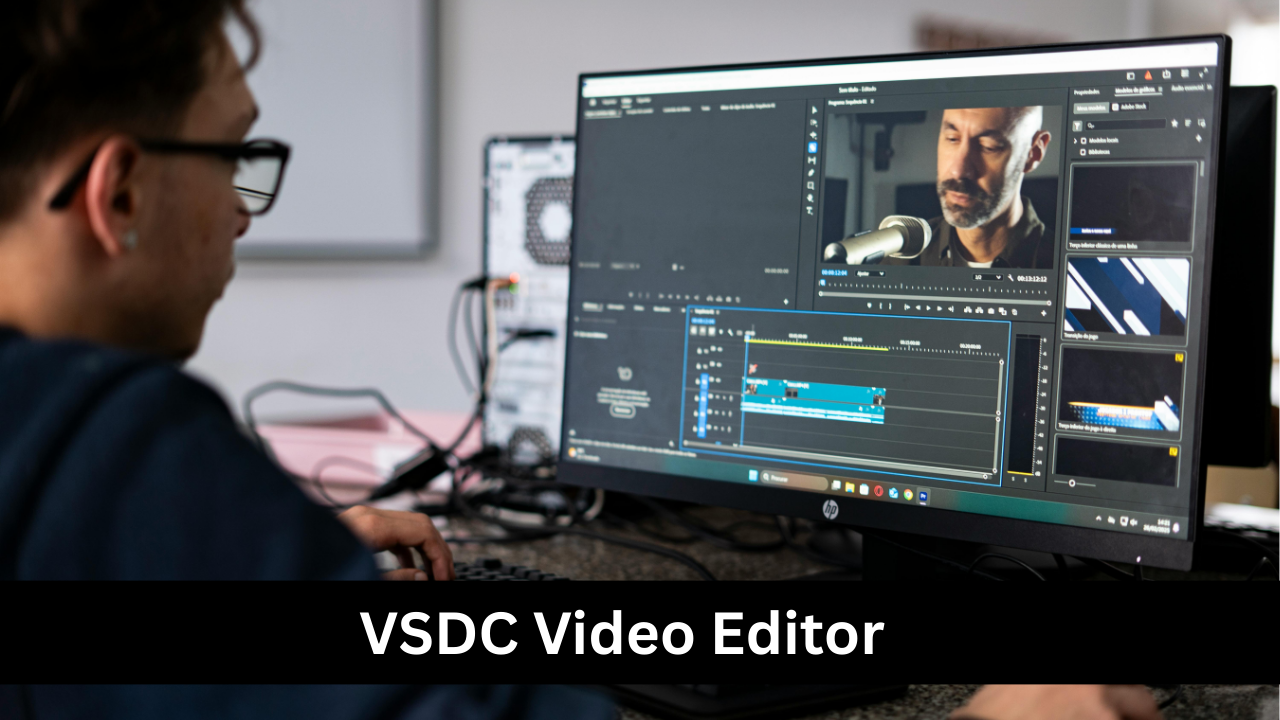
VSDC Video Editor is a non-linear video editing software designed for Windows users seeking professional-quality results. It supports multi-track editing, 4K resolution, visual effects, motion tracking, and color correction. VSDC includes tools for audio editing, blending modes, and masking, enabling precise creative control. Its interface balances accessibility with professional-grade features, making it suitable for both beginners and experienced editors. VSDC also provides hardware acceleration for faster rendering and supports a wide range of formats for export. Its affordability and capabilities make it a strong choice for small studios, YouTubers, and independent filmmakers aiming to produce polished, high-quality videos.
Kdenlive
Kdenlive is a free, open-source video editor that offers professional-grade editing tools suitable for filmmakers, educators, and content creators. It features multi-track editing, customizable layouts, keyframe animation, color grading, and a wide array of effects and transitions. Kdenlive supports high-resolution formats including 4K and utilizes proxy editing for smoother performance with large projects. Its flexible interface allows editors to configure workspaces according to workflow needs. While free, Kdenlive is robust and stable, offering capabilities comparable to premium software. It is especially popular among Linux users, but also works on Windows and Mac, making it a versatile option for cost-conscious professionals.
Choosing the Right Video Editing Tool for Your Needs
Selecting the right video editing tool depends on several factors, including project complexity, budget, platform, and desired output quality. Professionals working on films, commercials, or broadcast content often require tools like Adobe Premiere Pro, Avid Media Composer, or DaVinci Resolve for advanced editing, color grading, and collaboration features. Creators producing social media or corporate videos may prioritize software with user-friendly interfaces, fast rendering, and built-in effects, such as Filmora, Movavi, or CyberLink PowerDirector. Consider your technical skills, team collaboration needs, and hardware capabilities when making a choice. Ultimately, the best tool is one that balances efficiency, creative control, and professional-quality output for your specific projects.